 Kaartje
Back to the app
Kaartje
Back to the app
Kaartje for Mac
Save your first Trello card
Install Kaartje, connect your Trello account and press Control–Option–Space to create a card.
The test download is being prepared. It will appear here after Apple's security check.
Requires macOS 14 or later. For Apple silicon and Intel Macs.
Install and connect
- Open the downloaded file and drag Kaartje to Applications.
- Open Kaartje from Applications. Click its icon in the menu bar, then Settings….
- Click Connect to Trello. Sign in to Trello in your browser and approve access.
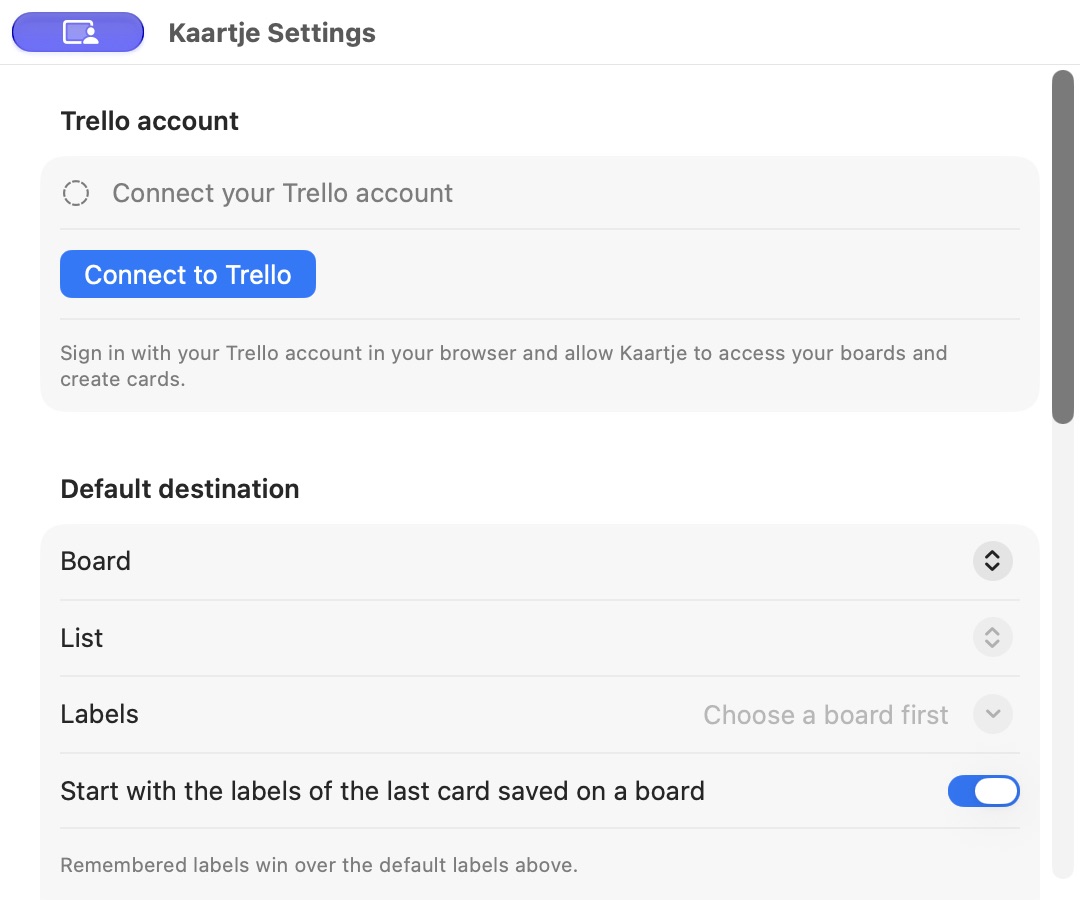
Connect your own Trello account from Settings. - Return to Kaartje and choose your default board and list.
- Press Control–Option–Space, enter a card title and press Return to save.
When you use screenshots or copy content from another app, macOS asks for permission. You can choose which permissions to allow.
Get updates
Kaartje checks for new versions when automatic checks are enabled. You can also click Check for Updates… in the menu bar. In Settings, choose whether to install updates automatically.
Send feedback
Email [email protected] with what you tried and what happened. Include your macOS version and the Kaartje version shown in Settings.